> ## Documentation Index
> Fetch the complete documentation index at: https://docs.zapier.com/llms.txt
> Use this file to discover all available pages before exploring further.
# Hydration
> The best answer to this lives in our [CLI docs](https://docs.zapier.com/integrations/reference/cli-docs#dehydration):
## What is dehydration & hydration?
Dehydration, and its counterpart hydration, is a tool that can lazily load
data that might be otherwise expensive to retrieve aggressively.
From a developer's perspective, you only need to worry about dehydration—Zapier will cover the hydration side of things.
## When to use dehydration?
The two most common times you should use dehydration in a Zapier integration are when:
1. You need to retrieve extra information from an API (e.g. a resource's list endpoint only returns IDs, but content must be retrieved per ID)
2. You need to provide access to a file (or files)
## Why use dehydration?
The core reason is reducing load to your API in case #1 above, where Zapier could fetch a list of known IDs of resources every 1-15 minutes per Zap, instead of the full definition of each of those resources. Putting any secondary requests behind a dehydration pointer means the request is made only once, although a Zap might see the same records again and again based on its polling cycle.
Dehydration saves even more bandwidth with files. No polling trigger should return files without dehydration, because otherwise, your app will send that file to Zapier around 100-300 times per day. For file outputs, implementing dehydration means the file will only be accessed and downloaded when a later Zap step asks for it.
The second reason is time. Your integration gets [30 seconds to run its API calls and any additional code](/integrations/build/troubleshoot-trigger-timeouts#trigger-runs-in-a-zap) each time a Zap step runs before the step would time out. If you are running into that time limit, consider if work could be offloaded to dehydration and hydration.
## How to use dehydration?
Check out our [example "files" app](https://github.com/zapier/zapier-platform/tree/main/example-apps/files) for an example of file dehydration in action with a working Zapier demo integration. You can even initialize a Zapier app based on that repo by entering `zapier-platform init . --template=files` (or deprecated `zapier init . --template=files`) in Terminal to see it in your local code editor.
## Hydration in action
Some key areas include `index.js`, `hydrators.js`, `triggers/newFile.js`, and `creates/uploadFile.js`.
When building your integration, you'll likely be retrieving file info from a remote server. Instead, this example integration hard codes file urls to demonstrate.
The `New File` Trigger returns those file urls. The method [`z.dehydrateFile`](https://github.com/zapier/zapier-platform/blob/master/packages/cli/README.md#zdehydratefilefunc-inputdata) is used to create a pointer to the `downloadFile` function. In order to pass those files to other apps in actions, we reference `hydrators.downloadFile`, our hydrating function given a file url.
If you look at the `hydrators.js` file, you can see the `downloadFile` function. `downloadFile` calls the method[`z.stashFile`](https://github.com/zapier/zapier-platform/blob/master/packages/cli/README.md#zstashfilebufferstringstream-knownlength-filename-contenttype) to return a URL file pointer.
All of these will work together to lazily fetch the trigger data only when needed, avoiding API calls during polling or for reuse.
The only Action for this app is to upload the file, given a `bundle.inputData.file`.
### Setup
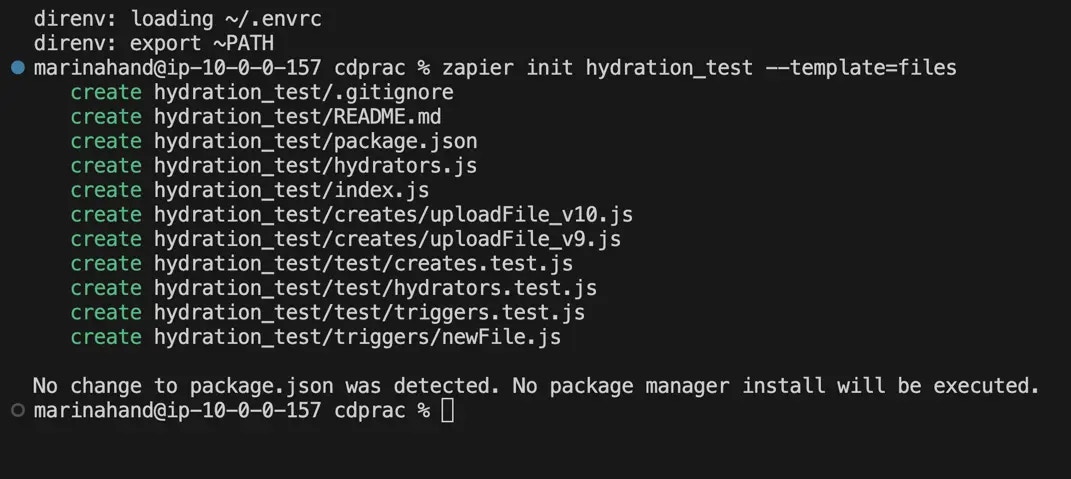
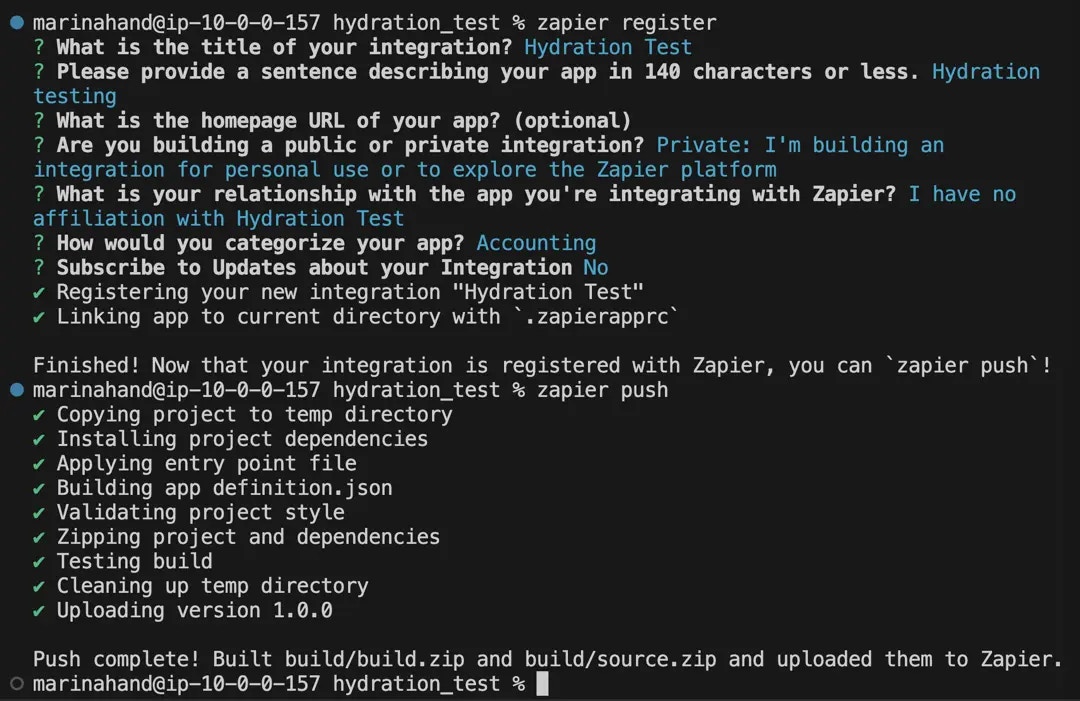
First, install the sample Zapier app `zapier-platform init . --template=files` (or deprecated `zapier init . --template=files`) and `zapier-platform push` (or deprecated `zapier push`) it to Zapier. If you've not worked with the CLI before, start by checking out the [tutorial](/integrations/quickstart/cli-tutorial).
{" "}
 {" "}
{" "}
{" "}
{" "}
 {" "}
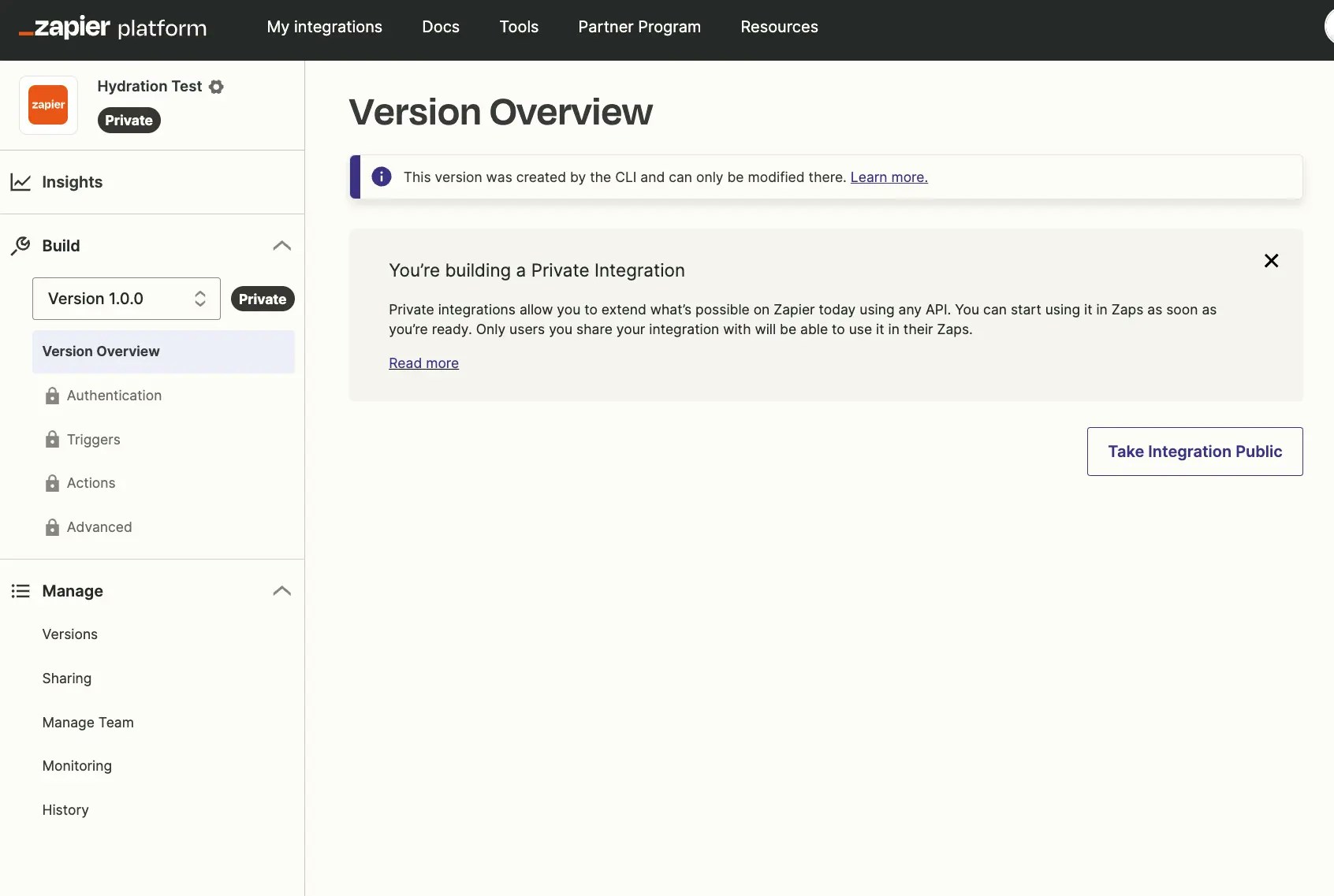
Here's how the integration looks in [Zapier's developer dashboard](https://developer.zapier.com/). Add an optional icon to it if you like.
{" "}
{" "}
Here's how the integration looks in [Zapier's developer dashboard](https://developer.zapier.com/). Add an optional icon to it if you like.
{" "}
 {" "}
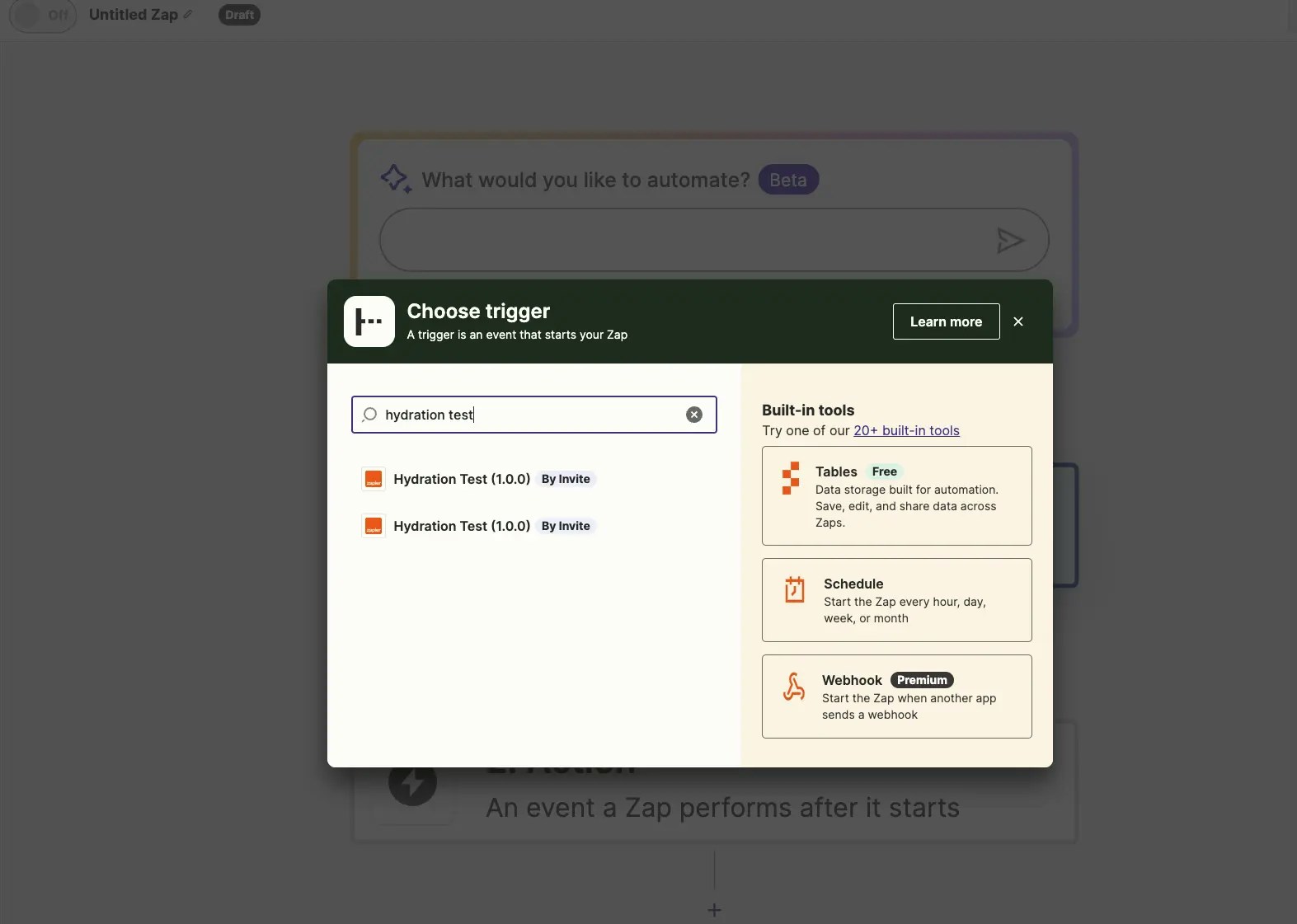
Next, we'll want to add a Zap. Open the [Zap editor](https://zapier.com/editor), and select your integration's trigger.
{" "}
{" "}
Next, we'll want to add a Zap. Open the [Zap editor](https://zapier.com/editor), and select your integration's trigger.
{" "}
 {" "}
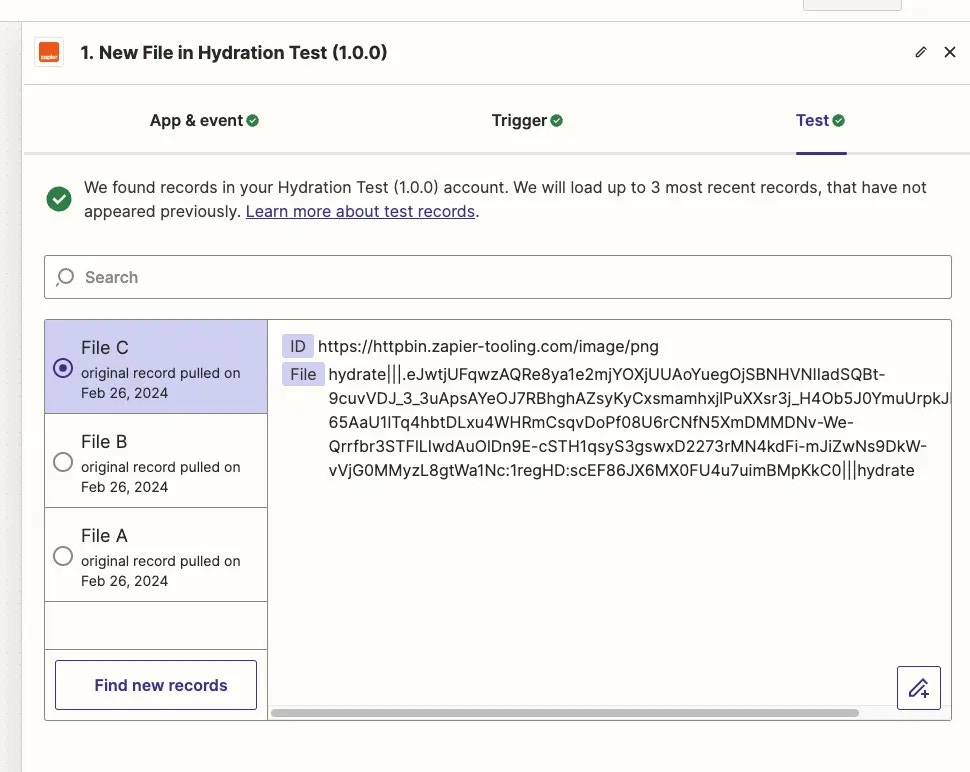
Select continue - you'll notice this app has no authentication, as the file urls are accessible without it. Select `Test trigger` to see the three sample urls pulled in and hydrated pointer for each.
{" "}
{" "}
Select continue - you'll notice this app has no authentication, as the file urls are accessible without it. Select `Test trigger` to see the three sample urls pulled in and hydrated pointer for each.
{" "}
 {" "}
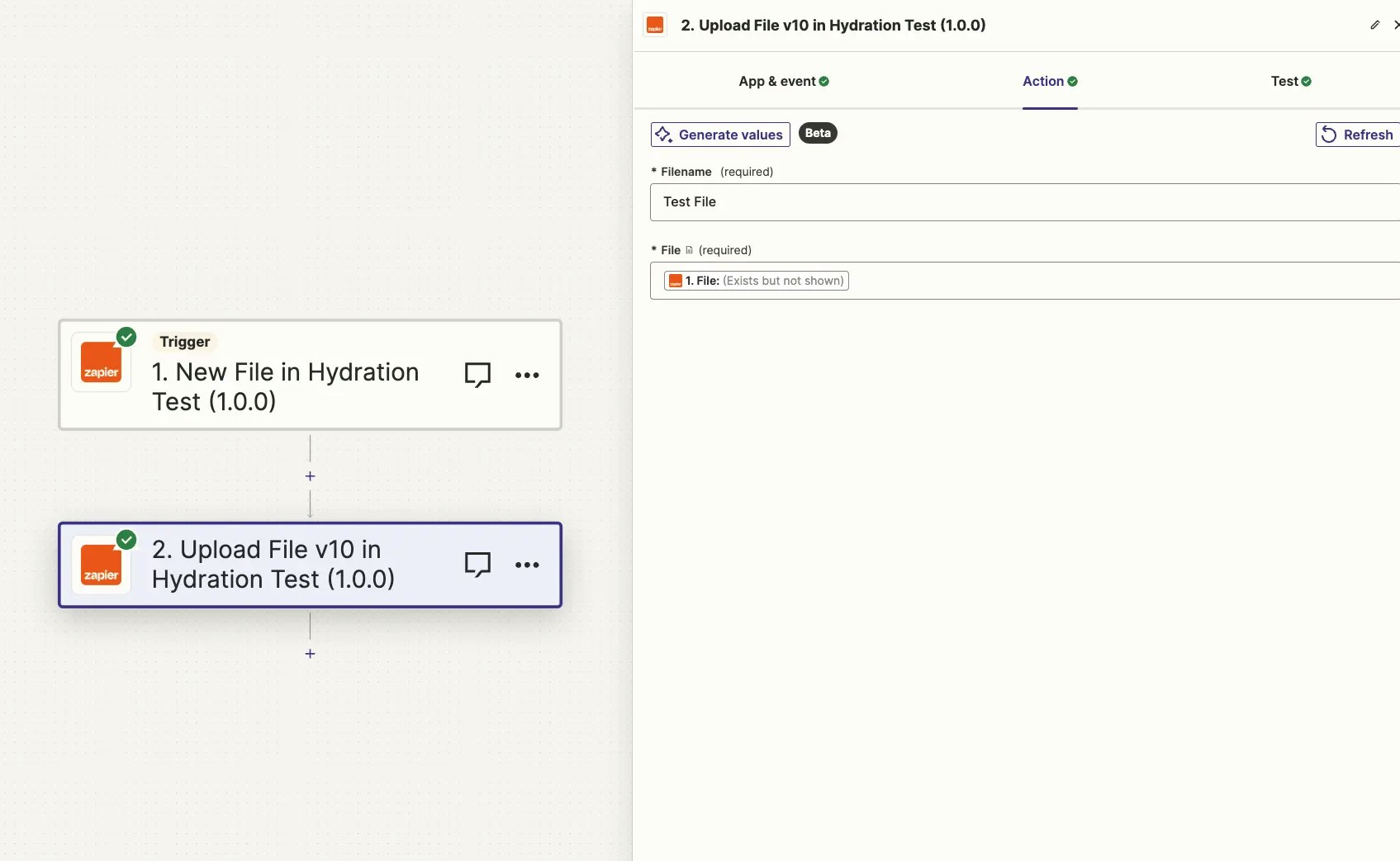
Now let's add the `Upload File` action to the Zap. Normally, we wouldn't want a setup like this (trigger off of new file / create a new file), because it would result in a [Zap loop](https://help.zapier.com/hc/en-us/articles/8496232045453-Zap-is-stuck-in-a-loop). But this is just a test—and be sure to turn the Zap off shortly after it's turned on.
{" "}
{" "}
Now let's add the `Upload File` action to the Zap. Normally, we wouldn't want a setup like this (trigger off of new file / create a new file), because it would result in a [Zap loop](https://help.zapier.com/hc/en-us/articles/8496232045453-Zap-is-stuck-in-a-loop). But this is just a test—and be sure to turn the Zap off shortly after it's turned on.
{" "}
 {" "}
{" "}
{" "}
{" "}
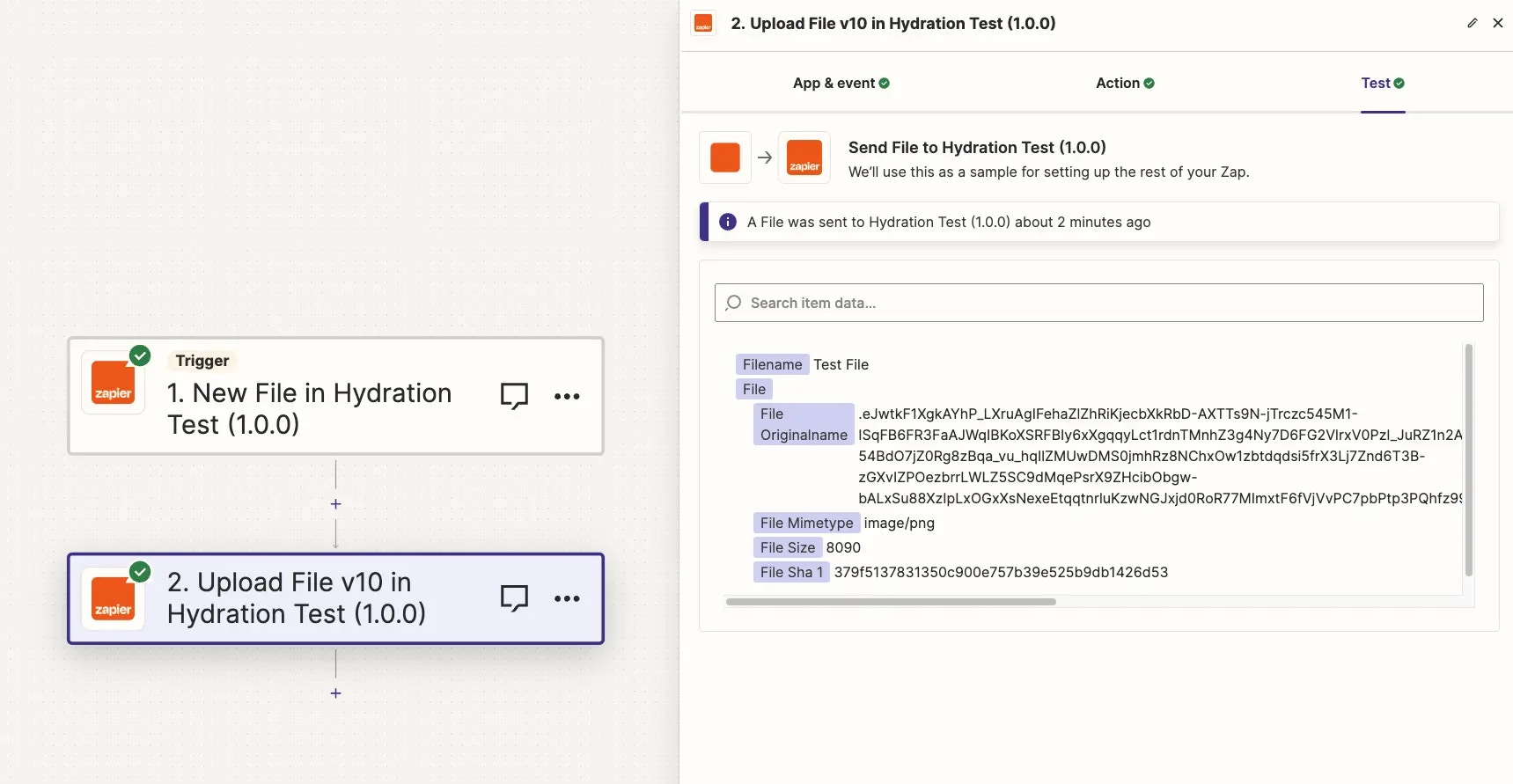 {" "}
Above, you'll see the string that prompts Zapier to hydrate a file. When the Zap runner encounters a string like this, Zapier will call the defined hydration function with the proper arguments.
After selecting `Test step`, you will see three new requests show in the `Monitoring` [tab of your integration](/integrations/build/test-monitoring):
{" "}
{" "}
Above, you'll see the string that prompts Zapier to hydrate a file. When the Zap runner encounters a string like this, Zapier will call the defined hydration function with the proper arguments.
After selecting `Test step`, you will see three new requests show in the `Monitoring` [tab of your integration](/integrations/build/test-monitoring):
{" "}
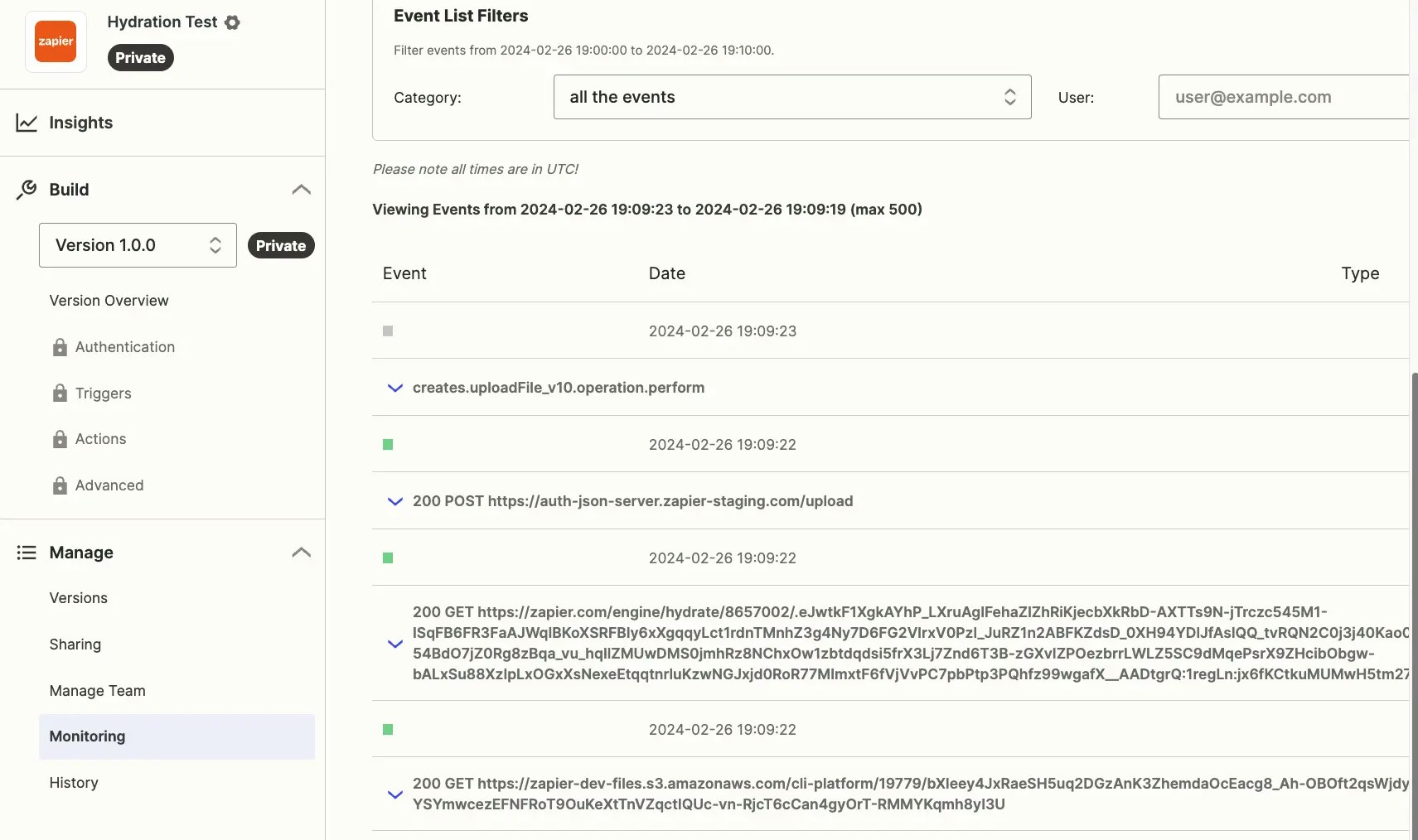 {" "}
The POST at the top was from the upload itself. The GET requests retrieve the file from the pointer provided by the trigger.
Now the Zap is ready to be turned on!
{" "}
{" "}
The POST at the top was from the upload itself. The GET requests retrieve the file from the pointer provided by the trigger.
Now the Zap is ready to be turned on!
{" "}
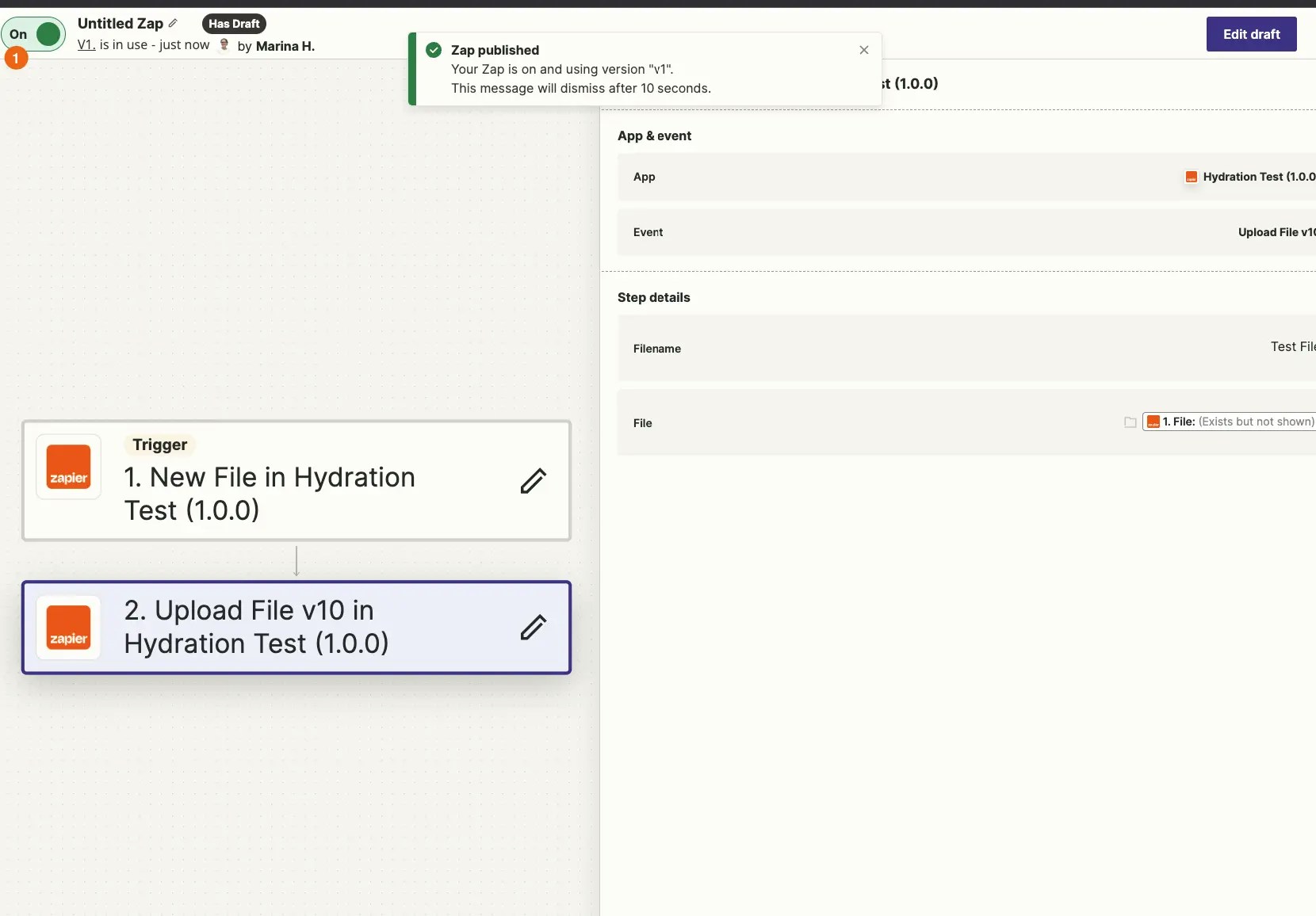 {" "}
In this example app integration, the trigger will not run automatically due to the hard coded file urls used for illustrative purposes. Once you replace the `fileURLs` in the trigger `perform`, with a request to your API that returns the triggering file, you'll be able to test this out fully.
***
*Need help? [Tell us about your problem](https://developer.zapier.com/contact) and we'll connect you with the right resource or contact support.*
{" "}
In this example app integration, the trigger will not run automatically due to the hard coded file urls used for illustrative purposes. Once you replace the `fileURLs` in the trigger `perform`, with a request to your API that returns the triggering file, you'll be able to test this out fully.
***
*Need help? [Tell us about your problem](https://developer.zapier.com/contact) and we'll connect you with the right resource or contact support.*