> ## Documentation Index
> Fetch the complete documentation index at: https://docs.zapier.com/llms.txt
> Use this file to discover all available pages before exploring further.
# Error: An array is expected
> When you add a polling trigger or search action to your integration, the Zapier platform [expects a bare array of new or found items returned](/integrations/build/response-types), sorted in reverse chronological order. An API may instead return a result _object_ that contains the array of items the trigger/search needs.
## Error shown
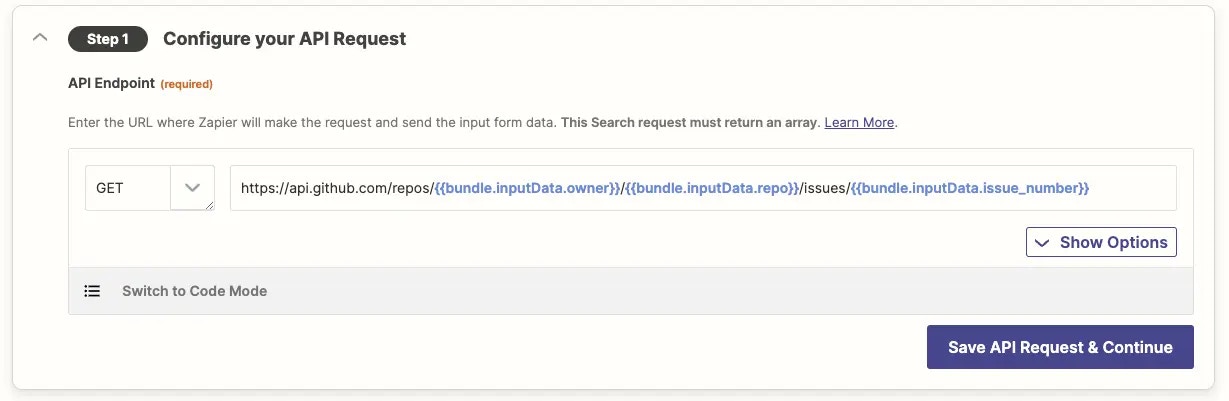
For example, for a “Find Issue” search action with GitHub's API, we might start with a `https://api.github.com/repos/{{bundle.inputData.owner}}/ {{bundle.inputData.repo}}/issues/{{bundle.inputData.issue_number}}` request:
{" "}
 {" "}
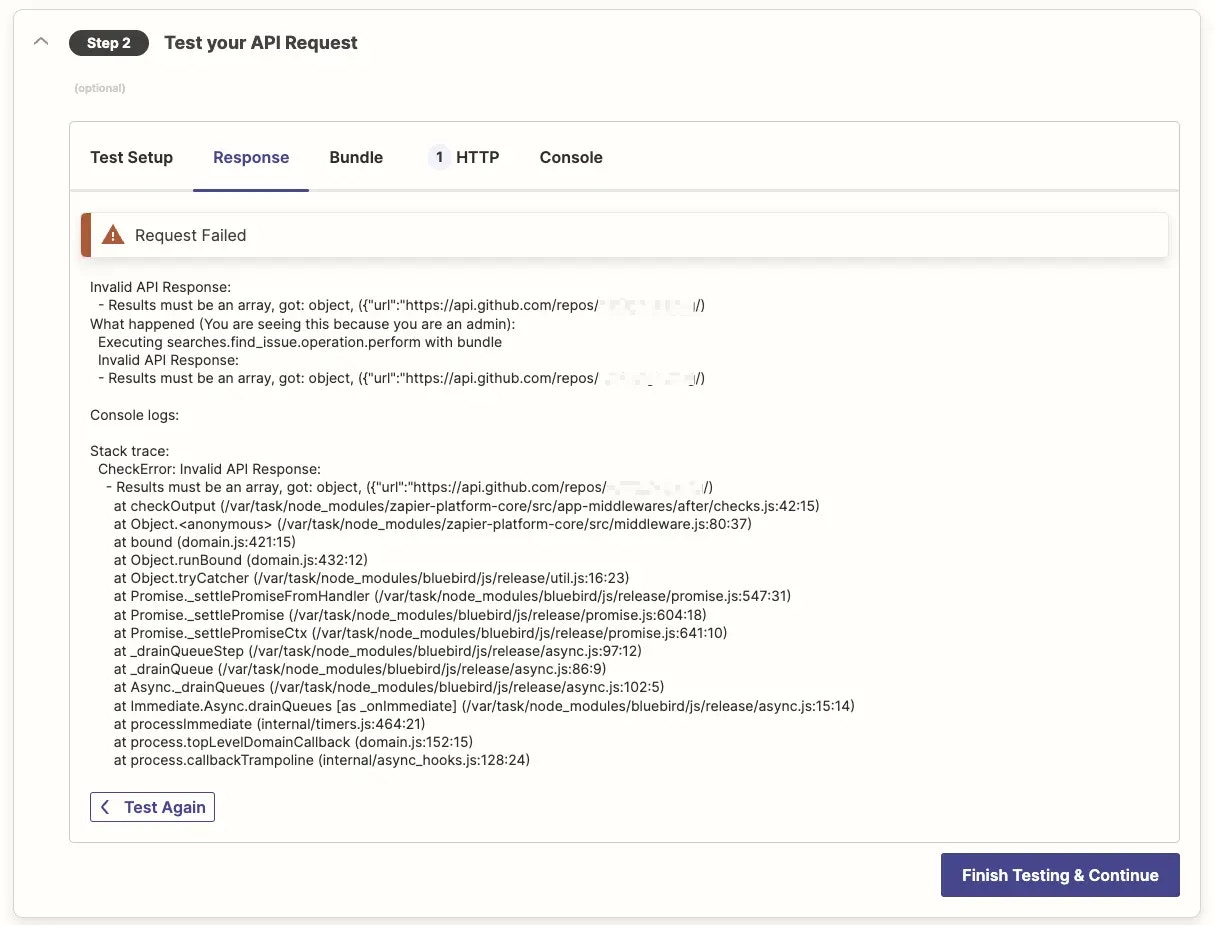
When tested, Zapier will show an error message `Results must be an array, got: object,`
{" "}
{" "}
When tested, Zapier will show an error message `Results must be an array, got: object,`
{" "}
 {" "}
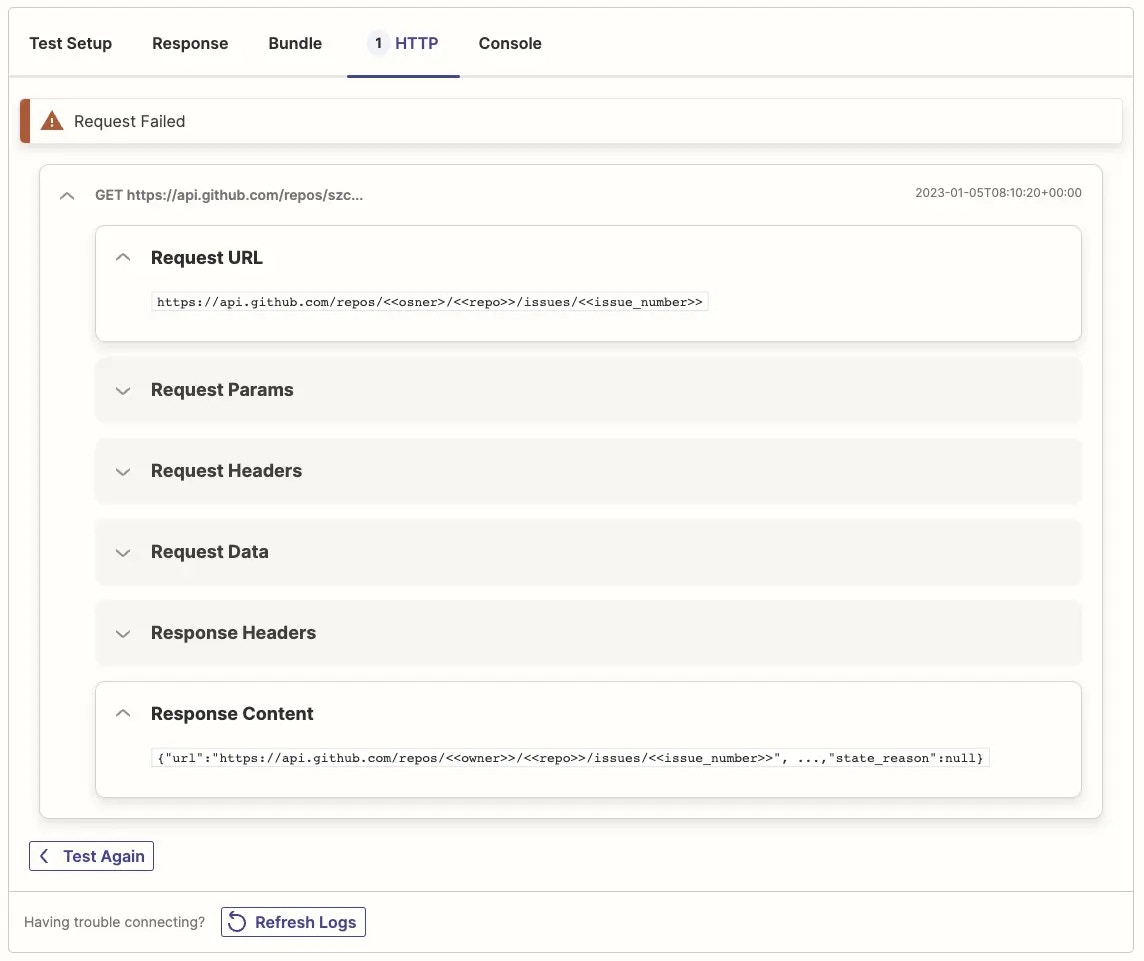
Check the API response in the HTTP tab of the *[Test your API Request](/integrations/build/test-triggers-actions)* section, and you'll see an *object* that contains the array of items we need was returned, not the array itself:
{" "}
{" "}
Check the API response in the HTTP tab of the *[Test your API Request](/integrations/build/test-triggers-actions)* section, and you'll see an *object* that contains the array of items we need was returned, not the array itself:
{" "}
 {" "}
## Solution
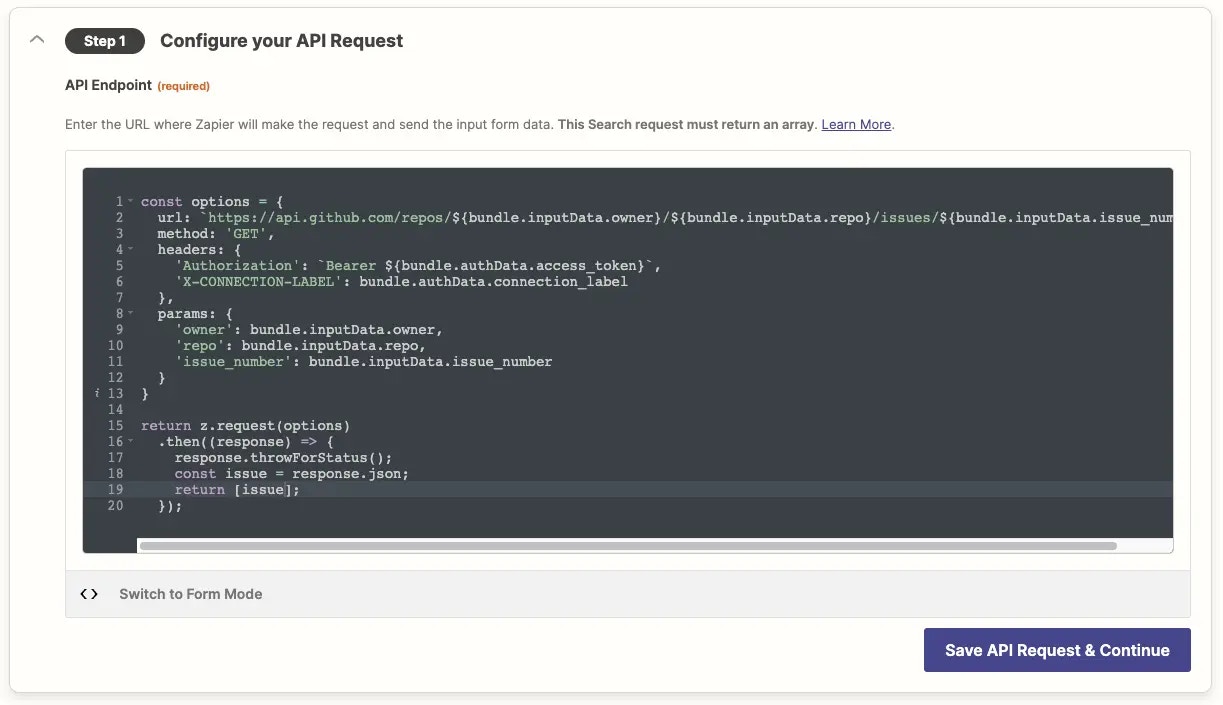
Instead, return that array of channels to Zapier. To do that switch to [Code Mode](/integrations/build/code-mode) in your request. That will allow you to provide a JavaScript function to handle the request, and make needed changes to the structure or content of the result before returning data to the Zapier platform.
For this request, wrap the response with an array instead of the default `return results`, to have Zapier return an array of issues.
{" "}
{" "}
## Solution
Instead, return that array of channels to Zapier. To do that switch to [Code Mode](/integrations/build/code-mode) in your request. That will allow you to provide a JavaScript function to handle the request, and make needed changes to the structure or content of the result before returning data to the Zapier platform.
For this request, wrap the response with an array instead of the default `return results`, to have Zapier return an array of issues.
{" "}
 {" "}
> Remember: [Code Mode](/integrations/build/code-mode) is a toggle; if you switch back to Form Mode your code will be ignored!
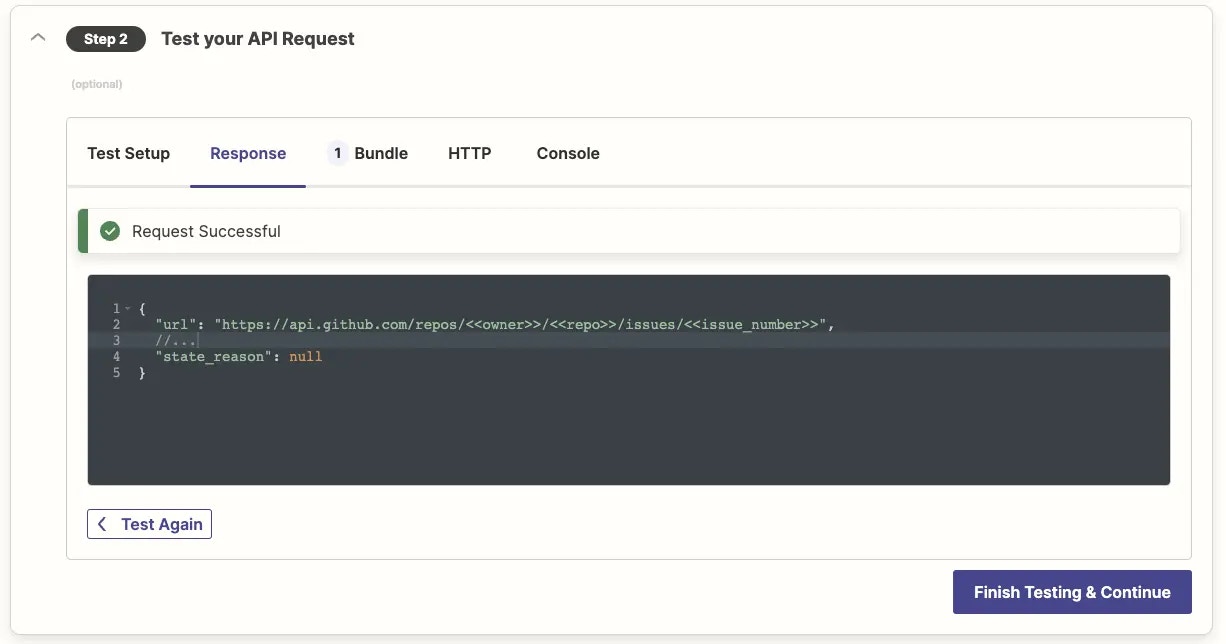
Now, retest the request and it should run successfully.
{" "}
{" "}
> Remember: [Code Mode](/integrations/build/code-mode) is a toggle; if you switch back to Form Mode your code will be ignored!
Now, retest the request and it should run successfully.
{" "}
 {" "}
***
*Need help? [Tell us about your problem](https://developer.zapier.com/contact) and we'll connect you with the right resource or contact support.*
{" "}
***
*Need help? [Tell us about your problem](https://developer.zapier.com/contact) and we'll connect you with the right resource or contact support.*