> ## Documentation Index
> Fetch the complete documentation index at: https://docs.zapier.com/llms.txt
> Use this file to discover all available pages before exploring further.
# Add a search or create action
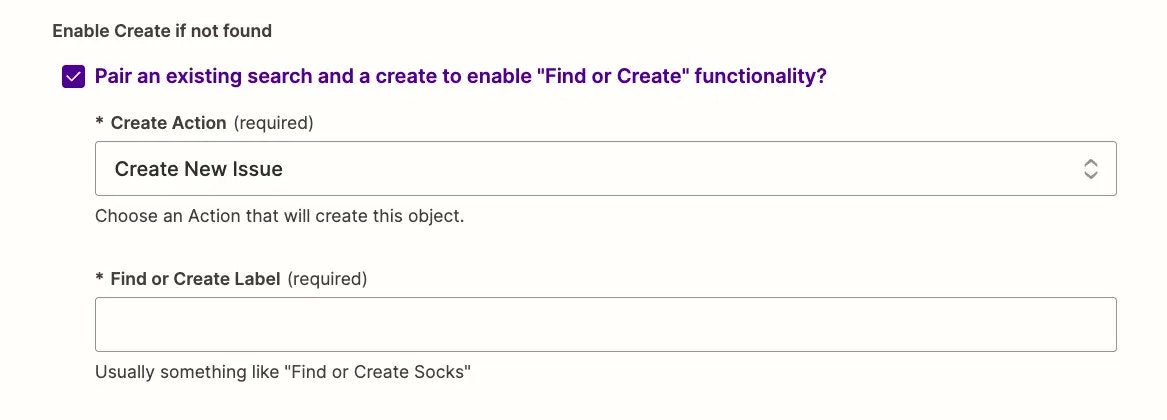
> When adding a _search_ action type, you'll see the option to _Pair an existing search and a create to enable “Find or Create” functionality_ in the _Settings_ page. This embeds the _create_ inside the _search_ step to find or create items in one step of the Zap.
## Add a *create* action
* Add a relevant *create* action to your integration. If your *search* action is looking for contacts, say, you would need a *Add New Contact* action to pair with it. Open your integration's *Actions* page in a new tab and add a new *create* action if your integration does not have an appropriate one already.
## Configure the *search* action
* Back in your new *search* action's settings, check the *Pair an existing search and a create* box
* Select the relevant action from the *Create Action* menu and add a new label that Zapier will show on this step if users choose to have the action create new items as well.
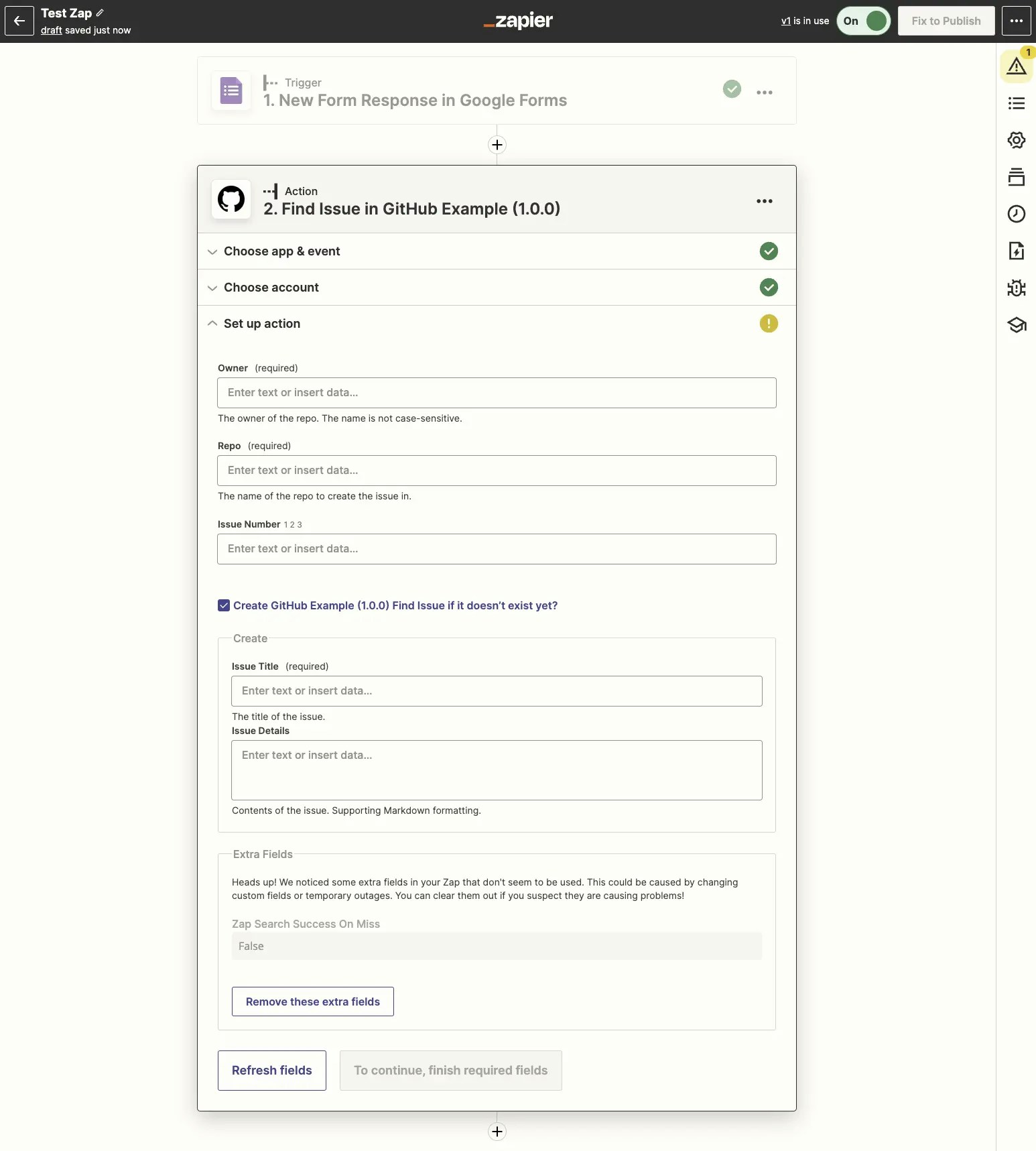
 * When users use the search action in a Zap, Zapier will show your core *search* action settings that you set in the *Input Designer* by default. Then, if users click the checkbox to create an item if nothing is found, Zapier will load the *create* action's input fields inside the search action so users can fill both out.
 * Configure the rest of your search action as normal, including the [Test API Request](/integrations/build/test-triggers-actions) and [Output](/integrations/build/sample-data) sections.
***
*Need help? [Tell us about your problem](https://developer.zapier.com/contact) and we'll connect you with the right resource or contact support.*
* Configure the rest of your search action as normal, including the [Test API Request](/integrations/build/test-triggers-actions) and [Output](/integrations/build/sample-data) sections.
***
*Need help? [Tell us about your problem](https://developer.zapier.com/contact) and we'll connect you with the right resource or contact support.*