> ## Documentation Index
> Fetch the complete documentation index at: https://docs.zapier.com/llms.txt
> Use this file to discover all available pages before exploring further.
# Platform UI vs Platform CLI
> There are two different developer tools to build either private or public integrations with the Zapier Developer Platform: Platform UI or Platform CLI.
## Platform UI
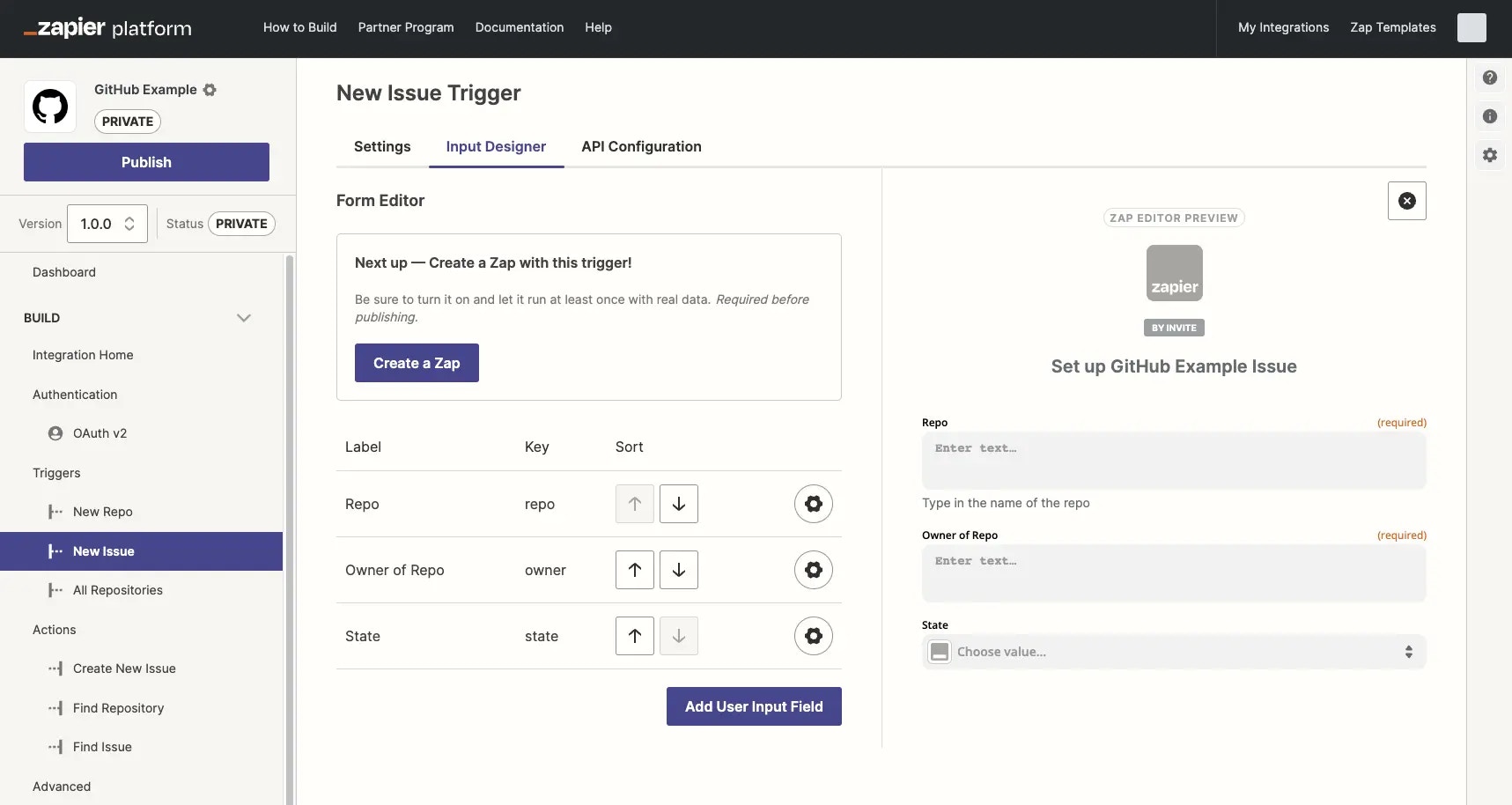
Platform UI is the visual way for users with API experience to build integrations in a web app editor. It allows for some advanced calls and response parsing when using Code mode; but is predominantly designed for builders more comfortable with a visual form editor than working in code.
 To get started, check out the following resources:
* [Quick start guide to using Platform UI](/integrations/quickstart/ui-tutorial)
* [Tutorial using Github's API to build with the Platform UI](https://community.zapier.com/featured-articles-65/zapier-platform-ui-a-complete-guide-on-how-to-integrate-with-github-26298#post108889)
## Platform CLI
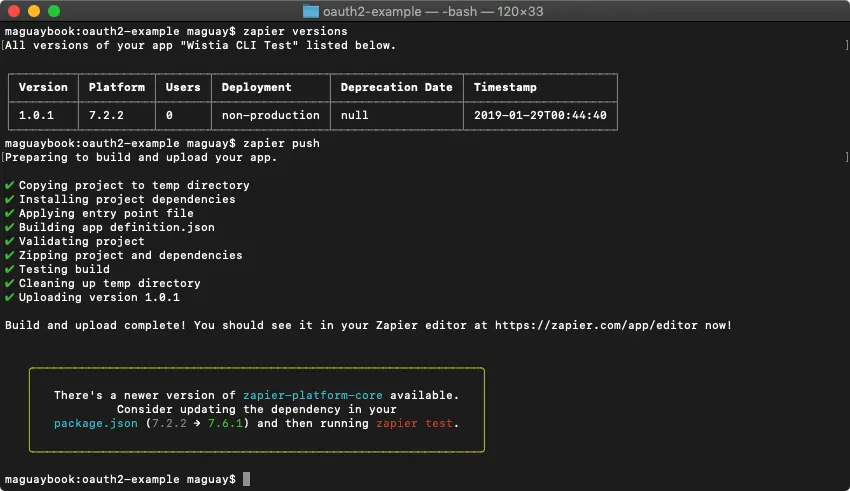
Platform CLI is a terminal-based app that allows builders to scaffold new integrations locally, using standard JavaScript in your local development environment and code editor. It allows for custom coding for API calls, middleware, file support and other advanced functionality. It's the preferred tool for engineers comfortable with a standard development workflow and collaborating in a local environment using GIT version control before pushing integration versions to the Zapier server. Platform CLI can be more difficult to use for non-engineers, but will likely be more efficient for an engineering team.
To get started, check out the following resources:
* [Quick start guide to using Platform UI](/integrations/quickstart/ui-tutorial)
* [Tutorial using Github's API to build with the Platform UI](https://community.zapier.com/featured-articles-65/zapier-platform-ui-a-complete-guide-on-how-to-integrate-with-github-26298#post108889)
## Platform CLI
Platform CLI is a terminal-based app that allows builders to scaffold new integrations locally, using standard JavaScript in your local development environment and code editor. It allows for custom coding for API calls, middleware, file support and other advanced functionality. It's the preferred tool for engineers comfortable with a standard development workflow and collaborating in a local environment using GIT version control before pushing integration versions to the Zapier server. Platform CLI can be more difficult to use for non-engineers, but will likely be more efficient for an engineering team.
 To get started, check out the following resources:
* [Quick start guide to using Platform CLI](/integrations/quickstart/cli-tutorial)
* [Tutorial using Github's API to build with Platform CLI](https://developer.zapier.com/cli-guide/introduction)
* [CLI documentation](/integrations/build-cli/overview)
## Comparison between developer tools
You can accomplish the same goals and build equally powerful Zapier integrations with both Platform UI and Platform CLI. The best tool for your integration depends on your work style and integration needs.
Below you can review what is capable between both developers tools
| Authentication | Platform UI | Platform CLI |
| ---------------------- | --------------------- | --------------------- |
| Basic Authentication | | |
| Session authentication | | |
| API Key | | |
| Custom | | |
| OAuth v1 | | |
| OAuth v2 | | |
| Digest | | |
| Triggers | Platform UI | Platform CLI |
| ------------------------------------------ | --------------------- | --------------------- |
| REST Hooks | | |
| Polling triggers | | |
| Support for static webhooks | | |
| Customize request handling with JavaScript | | |
| Search Actions | Platform UI | Platform CLI |
| ------------------------------------------ | --------------------- | --------------------- |
| Search or create functionality | | |
| Customize request handling with JavaScript | | |
| Create Actions | Platform UI | Platform CLI |
| ------------------------------------------ | --------------------- | --------------------- |
| Customize request handling with JavaScript | | |
| Advanced | Platform UI | Platform CLI |
| ---------------------------------------------- | ----------- | --------------------- |
| Custom middleware | | |
| Resources | | |
| File support | | |
| Hydration | | |
| Import and use NPM modules | | |
| Organize code with common functions | | |
| Handling long running tasks via a callback URL | | |
| Testing and Workflow | Platform UI | Platform CLI |
| ---------------------------------- | --------------------- | --------------------- |
| GUI with form-based editor | | |
| WYSIWYG form preview | | |
| Write custom automated test suites | | |
| Add team members to project | | |
| Manage testers | | |
| Monitor usage | | |
| View logs | | |
| Manage versions | | |
| Use custom source code manager | | |
| Export integration to CLI | | - |
If you are still unsure after reviewing our comparsion tables, Zapier advises to build with the Platform UI.
## Switching between developer tools
### Platform UI to Platform CLI
Yes, it is possible to switch your integration from Platform UI to Platform CLI.
You can [export](/integrations/manage/export-cli) an existing Platform UI integration to Platform CLI. Once exported, you can customize your integration in your local development environment. You will still have access to view your integration in the Platform UI.
Before making this change, Zapier recommends learning more about possible user impacts when [making changes to your integration](/integrations/manage/planning-changes).
### Platform CLI to Platform UI
It's not possible to directly export an integration from Platform CLI to Platform UI.
You would need to create a new integration **version** built in the Platform UI (do not create an entirely new app). Existing users would most likely need to manually update their Zaps to use the new version. Learn more about [this process and best practices to minimize user impact](/integrations/manage/export-ui) and contact [Developer Support](https://developer.zapier.com/contact) with any questions.
***
*Need help?* [Tell us about your problem](https://developer.zapier.com/contact) *and we'll connect you with the right resource or contact support.*
To get started, check out the following resources:
* [Quick start guide to using Platform CLI](/integrations/quickstart/cli-tutorial)
* [Tutorial using Github's API to build with Platform CLI](https://developer.zapier.com/cli-guide/introduction)
* [CLI documentation](/integrations/build-cli/overview)
## Comparison between developer tools
You can accomplish the same goals and build equally powerful Zapier integrations with both Platform UI and Platform CLI. The best tool for your integration depends on your work style and integration needs.
Below you can review what is capable between both developers tools
| Authentication | Platform UI | Platform CLI |
| ---------------------- | --------------------- | --------------------- |
| Basic Authentication | | |
| Session authentication | | |
| API Key | | |
| Custom | | |
| OAuth v1 | | |
| OAuth v2 | | |
| Digest | | |
| Triggers | Platform UI | Platform CLI |
| ------------------------------------------ | --------------------- | --------------------- |
| REST Hooks | | |
| Polling triggers | | |
| Support for static webhooks | | |
| Customize request handling with JavaScript | | |
| Search Actions | Platform UI | Platform CLI |
| ------------------------------------------ | --------------------- | --------------------- |
| Search or create functionality | | |
| Customize request handling with JavaScript | | |
| Create Actions | Platform UI | Platform CLI |
| ------------------------------------------ | --------------------- | --------------------- |
| Customize request handling with JavaScript | | |
| Advanced | Platform UI | Platform CLI |
| ---------------------------------------------- | ----------- | --------------------- |
| Custom middleware | | |
| Resources | | |
| File support | | |
| Hydration | | |
| Import and use NPM modules | | |
| Organize code with common functions | | |
| Handling long running tasks via a callback URL | | |
| Testing and Workflow | Platform UI | Platform CLI |
| ---------------------------------- | --------------------- | --------------------- |
| GUI with form-based editor | | |
| WYSIWYG form preview | | |
| Write custom automated test suites | | |
| Add team members to project | | |
| Manage testers | | |
| Monitor usage | | |
| View logs | | |
| Manage versions | | |
| Use custom source code manager | | |
| Export integration to CLI | | - |
If you are still unsure after reviewing our comparsion tables, Zapier advises to build with the Platform UI.
## Switching between developer tools
### Platform UI to Platform CLI
Yes, it is possible to switch your integration from Platform UI to Platform CLI.
You can [export](/integrations/manage/export-cli) an existing Platform UI integration to Platform CLI. Once exported, you can customize your integration in your local development environment. You will still have access to view your integration in the Platform UI.
Before making this change, Zapier recommends learning more about possible user impacts when [making changes to your integration](/integrations/manage/planning-changes).
### Platform CLI to Platform UI
It's not possible to directly export an integration from Platform CLI to Platform UI.
You would need to create a new integration **version** built in the Platform UI (do not create an entirely new app). Existing users would most likely need to manually update their Zaps to use the new version. Learn more about [this process and best practices to minimize user impact](/integrations/manage/export-ui) and contact [Developer Support](https://developer.zapier.com/contact) with any questions.
***
*Need help?* [Tell us about your problem](https://developer.zapier.com/contact) *and we'll connect you with the right resource or contact support.*