> ## Documentation Index
> Fetch the complete documentation index at: https://docs.zapier.com/llms.txt
> Use this file to discover all available pages before exploring further.
# Zapier integration structure
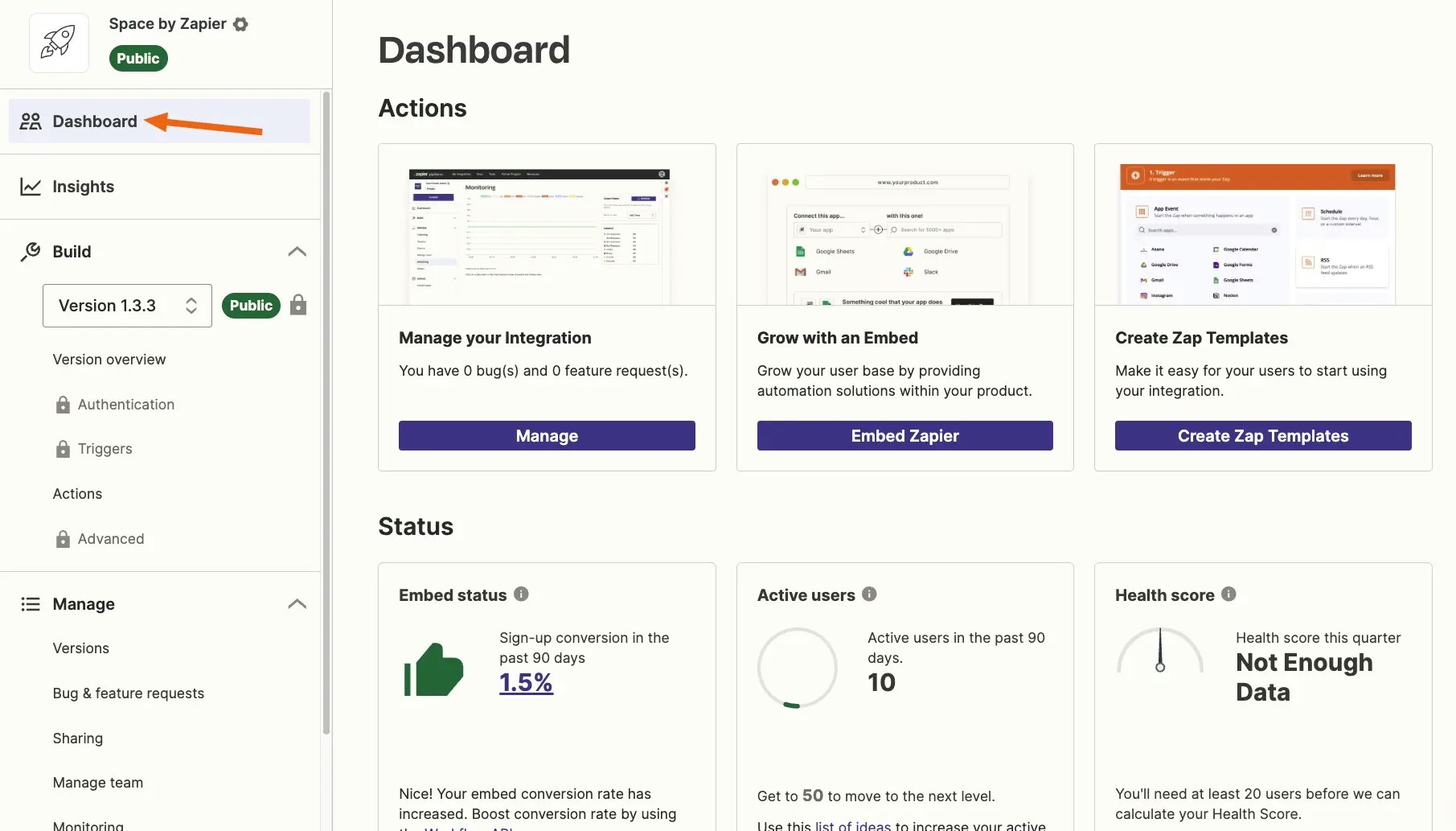
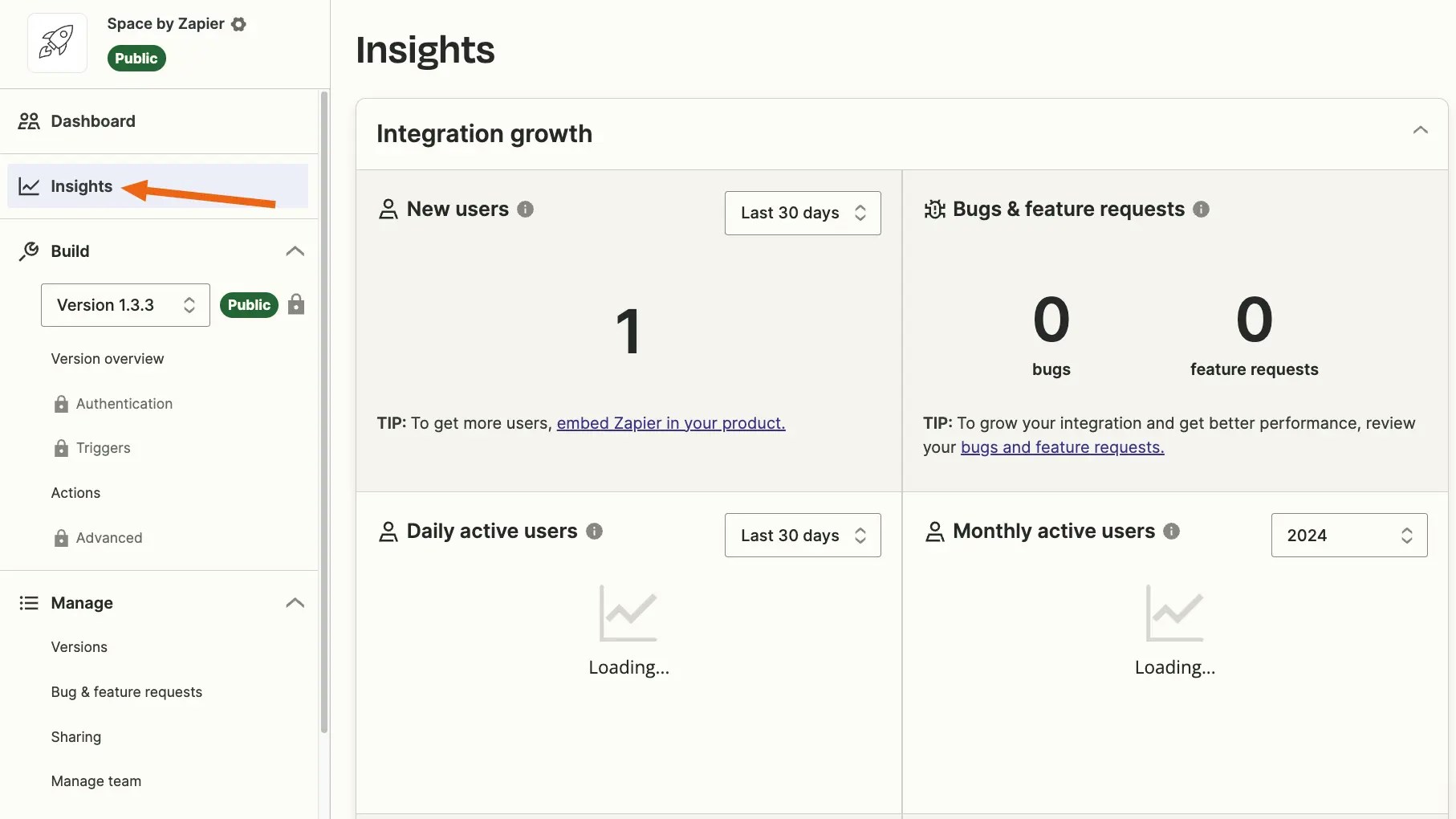
> [Zapier's Developer Platform](https://developer.zapier.com/) includes everything needed to build and manage a new Zapier integration. When you access your integration project by name, you'll see the left sidebar outlines the core project structure.
### Dashboard
*Dashboard* tab is used to see your Partnership level, active user total count, overall embed status and [integration health score](/integrations/publish/partner-program#integration-health-score). You **must** be an [admin or collaborator](/integrations/manage/add-team) to view an integration's dashboard.
 ### Insights
*Insights* tab is used to monitor and analyze your integration's growth, usage, and detailed embed metrics. You **must** be an [admin or collaborator](/integrations/manage/add-team) to view an integration's insights.
### Insights
*Insights* tab is used to monitor and analyze your integration's growth, usage, and detailed embed metrics. You **must** be an [admin or collaborator](/integrations/manage/add-team) to view an integration's insights.
 ### Build
*Build* tab defines your integration:
* *Version Overview* shows the outline of the version selected in the [dropdown](https://cdn.zappy.app/ca49500dc40cd1986693223661ab22b2.png)
* *Authentication* sets how users authenticate with your API; using basic, API key, digest, session, or OAuth v2 authentication.
* *Triggers* control how Zapier gets data from your API into a Zap, with `GET` HTTP calls or REST Hooks.
* *Actions* control how Zapier sends data to your API, including:
* *Create Actions* to send new data from a Zap to your API, with `POST` or `PUT` HTTP calls to create or update items.
* *Search Actions* to perform lookups through your API using `GET` calls.
* *Advanced* manages environment variables to store secret values your integration needs to communicate with your API, such as API keys or client IDs and secrets, or manage switching between staging and production environments in a version.
When planning your integration build, think through your integration and what features from your app your users might find the most valuable. Review [integration design examples](/integrations/quickstart/must-have-triggers-and-actions) by app category for inspiration.
Walk through building an integration with the [UI tutorial](/integrations/quickstart/ui-tutorial) or the [CLI tutorial](/integrations/quickstart/cli-tutorial).
### Manage
*Manage* tab is where you access tools to maintain your integration:
* *Versions* gives an [overview of each version's status](/integrations/manage/versions), user activity and for published apps; the changelog included in a promotion
* *Sharing* is where you [give users access](/integrations/manage/sharing) to private versions via an invite link to all versions or an email invite to a specific version
* *Manage Team* is used to [add team members](/integrations/manage/add-team) to manage your integration
* *Monitoring* gives access to [logs for requests](/integrations/build/test-monitoring#steps) made to your API by your Zapier integration
* *History* shows the 50 most recent audit logs for changes to your integration
* *Bugs & Feature Requests* are reported by users for published apps and should be used to communicate on these issues with Zapier Developer Support
### Embed
*Embed* tab shows for [public integrations](/integrations/quickstart/private-vs-public-integrations) only and describes a [variety of ways](https://platform.zapier.com/embed/full-zapier-experience) to surface your Zapier integration directly within your own product. It allows your users to search for apps that connect with yours, see popular workflows used with your app, and (most importantly) enables them to sign up for Zapier, build Zaps and edit them, too — without leaving your product.
***
*Need help? [Tell us about your problem](https://developer.zapier.com/contact) and we'll connect you with the right resource or contact support.*
### Build
*Build* tab defines your integration:
* *Version Overview* shows the outline of the version selected in the [dropdown](https://cdn.zappy.app/ca49500dc40cd1986693223661ab22b2.png)
* *Authentication* sets how users authenticate with your API; using basic, API key, digest, session, or OAuth v2 authentication.
* *Triggers* control how Zapier gets data from your API into a Zap, with `GET` HTTP calls or REST Hooks.
* *Actions* control how Zapier sends data to your API, including:
* *Create Actions* to send new data from a Zap to your API, with `POST` or `PUT` HTTP calls to create or update items.
* *Search Actions* to perform lookups through your API using `GET` calls.
* *Advanced* manages environment variables to store secret values your integration needs to communicate with your API, such as API keys or client IDs and secrets, or manage switching between staging and production environments in a version.
When planning your integration build, think through your integration and what features from your app your users might find the most valuable. Review [integration design examples](/integrations/quickstart/must-have-triggers-and-actions) by app category for inspiration.
Walk through building an integration with the [UI tutorial](/integrations/quickstart/ui-tutorial) or the [CLI tutorial](/integrations/quickstart/cli-tutorial).
### Manage
*Manage* tab is where you access tools to maintain your integration:
* *Versions* gives an [overview of each version's status](/integrations/manage/versions), user activity and for published apps; the changelog included in a promotion
* *Sharing* is where you [give users access](/integrations/manage/sharing) to private versions via an invite link to all versions or an email invite to a specific version
* *Manage Team* is used to [add team members](/integrations/manage/add-team) to manage your integration
* *Monitoring* gives access to [logs for requests](/integrations/build/test-monitoring#steps) made to your API by your Zapier integration
* *History* shows the 50 most recent audit logs for changes to your integration
* *Bugs & Feature Requests* are reported by users for published apps and should be used to communicate on these issues with Zapier Developer Support
### Embed
*Embed* tab shows for [public integrations](/integrations/quickstart/private-vs-public-integrations) only and describes a [variety of ways](https://platform.zapier.com/embed/full-zapier-experience) to surface your Zapier integration directly within your own product. It allows your users to search for apps that connect with yours, see popular workflows used with your app, and (most importantly) enables them to sign up for Zapier, build Zaps and edit them, too — without leaving your product.
***
*Need help? [Tell us about your problem](https://developer.zapier.com/contact) and we'll connect you with the right resource or contact support.*