> ## Documentation Index
> Fetch the complete documentation index at: https://docs.zapier.com/llms.txt
> Use this file to discover all available pages before exploring further.
# Usage & Billing Overview
> Understand how Zapier MCP usage works, rate limits, and pricing
Zapier MCP provides access to thousands of apps and actions through the Model Context Protocol. This guide explains how usage is tracked, what limits apply, and how billing works.
## Key Concepts
### What counts as a tool call?
A **tool call** in Zapier MCP is any operation that interacts with an external app:
* ✅ Sending a Slack message
* ✅ Creating a Google Sheets row
* ✅ Searching for emails in Gmail
* ✅ Creating a task in Asana
* ❌ Asking what tools are available
* ❌ Getting help or documentation
* ❌ Failed tool calls due to configuration errors
## How Usage is Calculated
### How is Zapier MCP priced?
Zapier MCP is available to all accounts. One Zapier MCP tool call uses **two tasks** from your Zapier plan’s quota. If you would like more tasks, explore [Zapier plans here.](https://zapier.com/pricing)
### What uses a tool call?
Each successful API call to an external service counts as one tool call:
```text theme={null}
Examples that use 1 tool call each:
- "Send a message to Slack"
- "Create a row in Google Sheets"
- "Find contacts in HubSpot"
- "Update a Notion page"
```
### What doesn't use a tool call?
These operations are free and don't count against your limit:
* Listing available tools
* Authentication and setup
* Viewing action history
* Failed tool calls due to:
* Invalid authentication
* Missing required fields
* Configuration errors
### Batch Operations
Some operations may use multiple tool calls:
```text theme={null}
"Add 5 rows to a spreadsheet" = 5 tool calls
"Send emails to 3 people" = 3 tool calls
"Search and update 10 records" = 11 tool calls (1 search + 10 updates)
```
## Monitoring Your Usage
### Check Current Usage
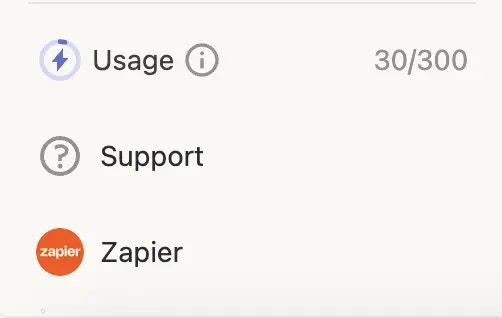
Visit [mcp.zapier.com](https://mcp.zapier.com) to see usage across all servers.
 ### Usage Notifications
Zapier will notify you when you run out of Zapier Tasks. An error message will be returned to attempted tool calls.
## What Happens at the Limit?
When you reach any rate limit:
1. **Immediate Effect**: New tool call requests will be declined
2. **Error Message**: Your AI client will receive an error about the limit exceeded
### Options When You Hit the Limit
Tasks reset on a monthly basis and you can see your next reset date when
logged in to your Zapier account on [zapier.com](https://zapier.com)
You can add more tasks to your Zapier account at any time [from
here.](https://zapier.com/pricing)
## Frequently Asked Questions
Zapier MCP is enabled by default on Enterprise accounts. If you'd like to disable Zapier MCP, reach out to your account manager.
Zapier MCP is available to all accounts. One Zapier MCP tool call uses **two
tasks** from your Zapier plan’s quota. If you would like more tasks, explore
[Zapier plans here.](https://zapier.com/pricing)
Yes, all successful tool calls count, including tests.
Yes. To explore options to cover the costs of Zapier MCP for your users [get in touch here.](https://zapier.com/developer-platform#form)
## Next Steps
* [Monitor your usage](https://mcp.zapier.com)
* [Try Zapier Agents](https://zapier.com/agents) to build always on AI Agents with access to thousands of Trigger events.
### Usage Notifications
Zapier will notify you when you run out of Zapier Tasks. An error message will be returned to attempted tool calls.
## What Happens at the Limit?
When you reach any rate limit:
1. **Immediate Effect**: New tool call requests will be declined
2. **Error Message**: Your AI client will receive an error about the limit exceeded
### Options When You Hit the Limit
Tasks reset on a monthly basis and you can see your next reset date when
logged in to your Zapier account on [zapier.com](https://zapier.com)
You can add more tasks to your Zapier account at any time [from
here.](https://zapier.com/pricing)
## Frequently Asked Questions
Zapier MCP is enabled by default on Enterprise accounts. If you'd like to disable Zapier MCP, reach out to your account manager.
Zapier MCP is available to all accounts. One Zapier MCP tool call uses **two
tasks** from your Zapier plan’s quota. If you would like more tasks, explore
[Zapier plans here.](https://zapier.com/pricing)
Yes, all successful tool calls count, including tests.
Yes. To explore options to cover the costs of Zapier MCP for your users [get in touch here.](https://zapier.com/developer-platform#form)
## Next Steps
* [Monitor your usage](https://mcp.zapier.com)
* [Try Zapier Agents](https://zapier.com/agents) to build always on AI Agents with access to thousands of Trigger events.