

Prerequisites
Before doing this, you would have to ensure that:- You are an admin for the integration. If you are not, you can have an admin invite you to be a member of the integration team.
- Your dev environment meets the requirements for running Platform CLI with the proper version of Node.js installed.
- You have installed the Platform CLI tool in your local environment and set up your authentication.
Downloading the source code
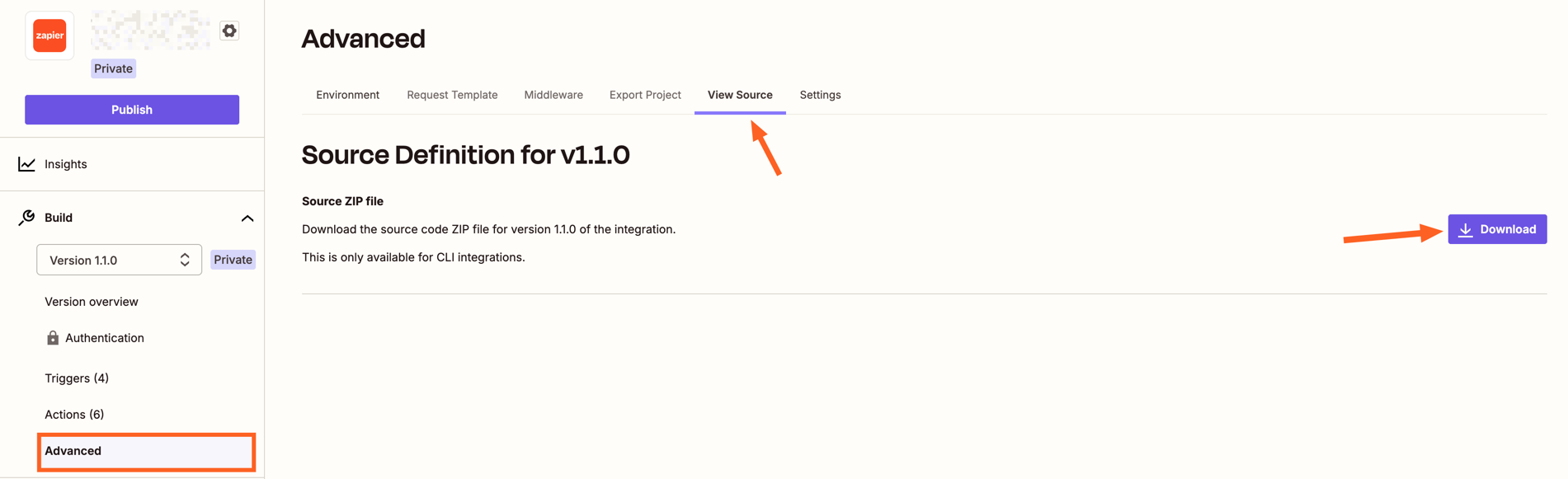
The steps to downloading the source code are:- Log in to the Platform UI and access the CLI integration for which you would like to get the source code.
- On the sidebar, click on “Advanced”.
- Go to the “View Source” section.
- Click the “Download” button
 Note that, after getting the source code, you would need to go into the directory and run the
 npm install command in order to install all the libraries needed for your integration. Then you can start making changes to the integration code, following our best practices.
Need help? Tell us about your problem and we’ll connect you with the right resource or contact support.