

What is Zapier Partner Sandbox?
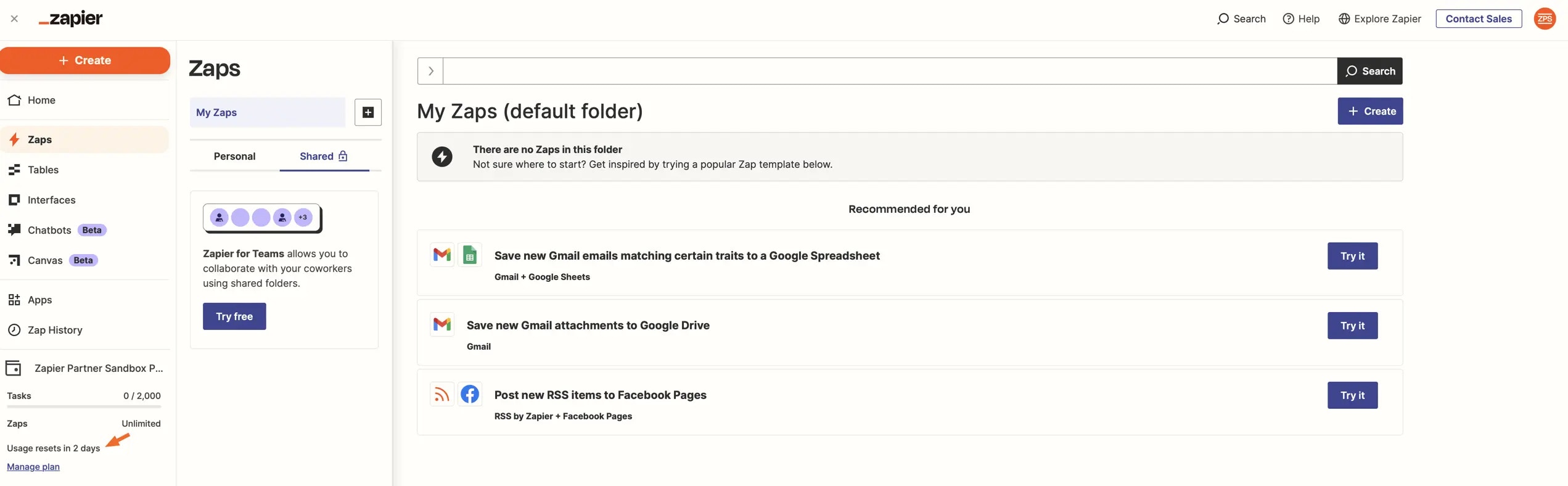
Zapier Partner Sandbox (ZPS) is a complimentary Partner Program benefit that gives your integration team access to a workspace with premium Zap features at no cost. It’s designed to support the ongoing development and maintenance of your Zapier integration. ZPS includes:- 50 Zaps (enabled concurrently)
- 2,000 free tasks per month
- Actions for specific Zapier apps do not count towards task usage per our standard task usage policy
- 5-minute update time for polling Zaps
- Multi-step Zaps
- 5 Premium Integrations
- Paths (3 paths wide by 3 paths deep)
Who is eligible?
ZPS is available to partners with a beta or public integration published on Zapier. Each Admin or Collaborator on a qualifying integration team can request access.How to apply
Visit the “Manage Team” page in the Developer Platform for your qualifying integration, and submit the form linked at the top of the page.How to access ZPS
When your request is approved, you’ll continue to log into Zapier using your existing account. Click the icon in the top-right corner (1) to switch between your personal Zapier account (2) and the ZPS account (3). Your personal account shows the name set on your profile, while the ZPS account shows a “ZPS” avatar and “App XXX” (where “XXX” is your app ID).
FAQ
Can I use ZPS for commercial purposes?
Can I use ZPS for commercial purposes?
How can I remove my access to ZPS?
How can I remove my access to ZPS?
Can I request the value of ZPS as a credit towards an in-market plan?
Can I request the value of ZPS as a credit towards an in-market plan?
Can I modify who can access ZPS?
Can I modify who can access ZPS?
Can I lose access to ZPS?
Can I lose access to ZPS?
Can I request access to ZPS before my integration reaches beta?
Can I request access to ZPS before my integration reaches beta?
Who owns the ZPS account?
Who owns the ZPS account?
Can I move Zaps between my personal account and ZPS?
Can I move Zaps between my personal account and ZPS?
Can Zaps I created in ZPS be transferred to my personal account after I lose access?
Can Zaps I created in ZPS be transferred to my personal account after I lose access?
I'm an Admin or Collaborator for multiple qualifying integrations. Can I get ZPS for each one?
I'm an Admin or Collaborator for multiple qualifying integrations. Can I get ZPS for each one?
Can I see who else on my team has access to ZPS?
Can I see who else on my team has access to ZPS?
In the Admin Center, I see a user with email app_xxx@zapierpartner.com listed as the Owner. Who is this?
In the Admin Center, I see a user with email app_xxx@zapierpartner.com listed as the Owner. Who is this?
Can I share Zaps and/or folders in ZPS?
Can I share Zaps and/or folders in ZPS?
What counts as a task when testing Zaps in ZPS?
What counts as a task when testing Zaps in ZPS?
Does each member added to ZPS have their own task limit?
Does each member added to ZPS have their own task limit?
Can I pay to add additional tasks to ZPS?
Can I pay to add additional tasks to ZPS?
What happens if I exhaust the task allowance?
What happens if I exhaust the task allowance?
Terms of Use
Zapier Partner Sandbox is a benefit of our Developer Program which Zapier may, in its sole discretion, choose to make available to select partners. Because Zapier Partner Sandbox may be made available to you at no additional charge, you must agree to the following in order to use Zapier Partner Sandbox:- Your use of Zapier Partner Sandbox is subject to Zapier’s Terms of Use
- Zapier Partner Sandbox is a discretionary benefit intended to support (together, the “Purpose”): A. Integration Development. The ongoing development of your integration. B. Sales Enablement/Demonstrations. Demonstrations of specific illustrative workflows that highlight the capabilities and benefits of your integration with Zapier. These demonstrations can be used as part of sales presentations or marketing materials to your prospective clients, but as mentioned below in (6), production data should not be run through any such workflows.
- Zapier Partner Sandbox may only be used for the Purpose and not for any other purposes, including other commercial ones. If you need to use Zapier outside of the Purpose, including as a customer to create/develop automation workflows in support of your business (other than the demonstration ones referenced above), you must upgrade your personal account to a currently offered plan, which you may view at: http://zapier.com/pricing.
- The Zapier Partner Sandbox workspace is owned and operated by Zapier, with access granted exclusively to qualifying users.
- In the event that Zapier determines that an account is being used outside of the Purpose, Zapier reserves all rights, including being able to revoke access to Zapier Partner Sandbox.
- Because Zapier Partner Sandbox may only be used for the Purpose, and the Zapier Partner Sandbox workspace is owned and operated by Zapier, you agree not to submit any production data through Zaps created within the Zapier Partner Sandbox workspace. You further agree that for program management purposes, the Zapier Partnerships team has access to Zaps created within the Zapier Partner Sandbox workspace and that you should not have the expectation of privacy that you would with a Zapier customer account.
- Zapier Partner Sandbox is provided on an “as-is” basis. Zapier reserves the right to modify, suspend, or discontinue this benefit at any time, with or without notice to you. Zapier may also update these Zapier Partner Sandbox terms at any time, and you can always find the most current version in our platform documentation.
- The provisions of Section 3(e) (Beta Release) are incorporated by reference. In particular, Zapier is not and will not be liable for any Zaps or data that run through the Zapier Partner Sandbox workspace. Users acknowledge and assume full responsibility for their Zaps and any associated data stored in the Zapier Partner Sandbox workspace.
- Other members of Integration Partner’s team may apply for access to the workspace (and will be asked to agree to these terms as well in order to maintain their access). Zapier reserves the right to audit membership to the workspace and remove members at Zapier’s discretion. Attempts to facilitate unauthorized access to the workspace may result in removal from ZPS.
Need help? Tell us about your problem and we’ll connect you with the right resource or contact support.